
Isn't this free template worth at least $1? |
|
|---|---|
| Your support allows me to continue to provide free templates. Any donation is appreciated. |
Blogger Template Info
- Author: Blog Crowds
- Views: 3,141
- Downloads: 0
- Added: Jan 14th, 2008
- Rating:


- Live Demo
Compute Template
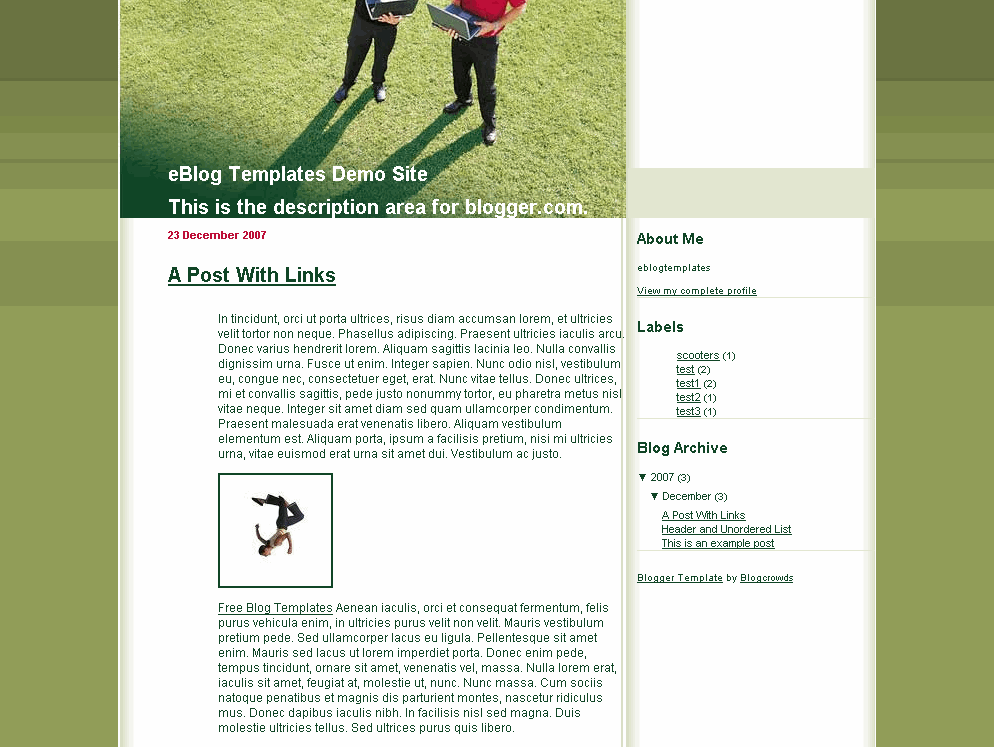
If you’re like most golfers, you always carry your laptop while you play. Or not. This Blogger template header illustrates two men holding laptops while standing on the golf course. While computers are great, I don’t bring mine to the golf course. Now the good news is you can easily change the header image to something more suitable to your blog. Just look for the following line of code in the template file and point it to a new image.
https://i254.photobucket.com/albums/hh92/eblogtemplates/compute/compute.jpg
This Blogger template was designed by “Luz” and converted into a new xml Blogger template by Blog Crowds.
Ready to super charge your blog? Check out our professional premium blogger templates or make money by joining our blog affiliate program!
Want to make your blog stand out from the crowd? I recommend giving your newly downloaded Blogger template a unique and personalized look. Read our Free Blogger Header Images article and find yourself a great custom header image!
If you like this post then please consider subscribing to our eBlog Templates RSS feed. You can also subscribe by email and have new templates and articles sent directly to your inbox.
Trackbacks
One Response to “Compute”
Blogger Sponsors
- Improve Your Blog in 31 Days – Guaranteed
- Build a Better Online Business with WordPress
- Become a Blogger Just Reopened – 5 Days Only!
- Roadmap to Become a Better Blogger
- Free Image Hosting – Photobucket
- How to Install Google Analytics on Blogger
- Improve Your Google Rankings in One Easy Step
- 50 Excellent Blog Footers
- Free Instant Blog Logos
- Create Cool Images With a Wet Floor Effect Maker
 ads by google commented on
  huh commented on
  huh commented on
This downloaded but would not open up…said there was a configuration error on your side.