
Isn't this free template worth at least $1? |
|
|---|---|
| Your support allows me to continue to provide free templates. Any donation is appreciated. |
WordPress Theme Info
- Author: Moses Francis
- Views: 8,399
- Downloads: 0
- Added: Mar 28th, 2008
- Rating:


- Live Demo
LightBreaker Theme
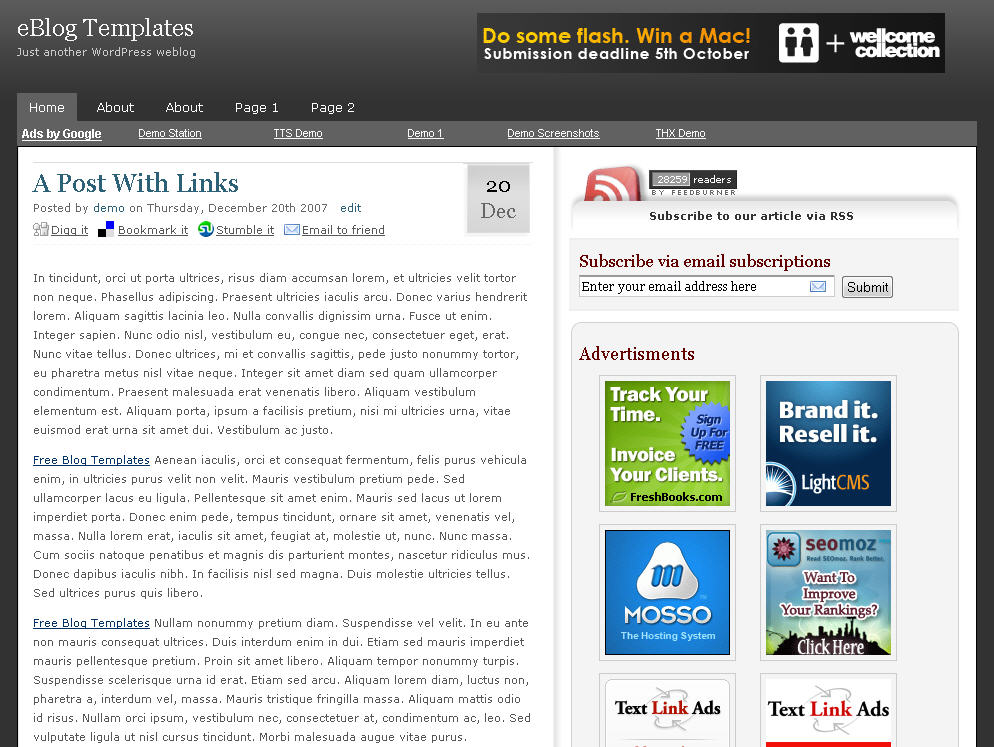
Here’s another great make money online WordPress theme. It’s actually my new favorite non-magazine theme which I use on several of my blogs. I honestly have increased my daily adsense earnings just by installing and configuring this theme. It’s very well written and all the adsense blocks are already setup. You just need to go into one includes file and change the adsense publishers id to yours.
The sidebar has a great spot for those popular 125 x 125 ads so you can sell ad space or put in your own affiliate ads. The default comes with six of my favorite affiliate program ads so feel free to change the affiliate ids to yours (or signup if you don’t have accounts for them yet).
There’s also a nice 468 x 60 header banner spot where you can place another adsense block or just a regular ad. I recommend using a regular ad since adsense can only appear three times per page.
Enhancements
I did change a couple items in this template as I felt it was better suited for everyone. The sidebar uses the cool idTabs feature (javascript that changes the tab once you click on it) for three tabs. I removed the “Most Commented” tab and replaced it with the the “Popular Posts” tab instead which uses the Popularity Contest plugin. There were also some spelling errors I corrected which were minor. I also added some onblur javascript so when you click on the “subscribe via email” text it disappears instead of you having to erase the text in the box.
Other Areas
When you first install this theme you might experience a problem with the sidebar tabs (at least I did). The idTabs uses jquery and might conflict with one of your other plugins. For me, it was having trouble with the WP Lightbox plugin so I had to disable it before the idTabs would work properly. You’ll just need to disable any plugins that use jquery until you find the one it conflicts with.
The footer was also updated as well but feel free to move things around however you like. If you’re using widgets then you will appreciate the fact that the footer of this theme (4 columns) is actually widgetized, just drag and drop those widgets into place.
The author also states that it’s important to read the included “readme.txt” file because there’s lots of custom pieces to this theme.
Overall, this is a wonderfully built and designed WordPress theme by Moses. I highly recommend it to anyone looking for a free make money online theme that’s ready to go.
Ready to super charge your blog? Check out our partners professional premium WordPress themes!
If you like this post then please consider subscribing to our eBlog Templates RSS feed. You can also subscribe by email and have new templates and articles sent directly to your inbox.
Trackbacks
- 5 Excellent free Wordpress Themes on May 26, 2011
- Blog de cara nova | Colorida Vida on August 27, 2011
126 Responses to “LightBreaker”
WordPress Sponsors
- Improve Your Blog in 31 Days – Guaranteed
- Build a Better Online Business with WordPress
- 50 Excellent Blog Footers
- Free Instant Blog Logos
- The Definitive Guide to WordPress SEO
- Create Cool Images With a Wet Floor Effect Maker
- Get Paid to Write Reviews on Your Blog
- Why Most Bloggers Are Stuck – Reporters vs Experts
- Yaro Starak’s 10 Great Blog Traffic Tips
- Google Friend Connect – New Social Network
 ads by google commented on
  huh commented on
  huh commented on
actually, i have decided to reinstall the theme and start afresh… more tips please…
Okay, hope I can fix yours.
thanks alot pitoe…
i never knew i could blog without having to worry about the templates… you have made it smooth for me…thanks alot!!!!!!!!!!!!!
HEY ISN’T THERE ANY SUPPORT FOR THIS THEME! I’M TOTALLY NOOBS ON WORDPRESS SO I NEED SOME SUPPORT. PLEASE SOMEONE PROVIDE ME.
THAANKS!
Donate 50$ and ask for support. 🙂
I would really like to donate eblogtemplates….if i would be having lots of bucks around me….I don’t have even to buy a domains and hosting account. Then how could i donate it!
But anyway…in the future if luck favors me…I would really like to donate it.
Thanks!
If you don’t have a domain you don’t need the Word Press theme… anyway, you can also browse smashingmagazine for WordPress freebies.
fortunately i have my own domain for 1 year….
Yes, smashing mag is very good for freebies. I’ve checked it!
Anyway i asked for the support because i’m totally noobs on wordpress…….i just want a basic guide about theme, and how to manage it…which i thought i can get here……
Anyway it doesn’t matter.!!
it’s all like that!
Hello all,
You can contact me to fix your lightbreaker template for free of charge.
Go to Scribd.com and search for “WordPress”, there are a lot of tutorials. Use the Firefox extension Firebug to look at the CSS code, that helps a lot if you want to modify something.
thanks a lot for both pitoe and thomas for helping me as best as u can. I will try to follow your tips…regarding wordpress. Thanks!
Does anyone know how to change the colour of the menu tab? Currenty mine is transparent so its hard to see the other pages…Anyone there to help?
I love this theme. Check this theme here http://mobilemarkete.com/
very nice template. thank!!!!
i tried to edit the template but everytime i click on update file it will revert to its default setting….here’s an example,i tried to replace adsense pub_id to my id but when i click it will revert back to the default id….how is this done please?
One of the most creative and inspired wordpress themes ever created and also very professional.
hello, I use this theme too for my blog,and its nice i think.thanks for your share
http://sarkem.net
twitter@LoyaltyDollars
Amazing wordpress theme! Is without a doubt one of the most professional I know.
nice template.., your link has been installed on my blog. 🙂
Hi! I already configured the adsense-config.php by replacing the adsense code there with mine. But I still see the former code in my adsense block when I hover the mouse over “Whorush: 1426 sites by this AdSense ID”.
Please advise. Thanks.
Thanks for sharing this useful theme info to blog with all of us. Keep sharing more in the future. Have a nice time ahead.
Can anyone please tell me how to remove Chitika Ads in this template? I couldn’t find the code to delete the ads. Help would be much appreciated thanks.
Nice templates and most of them are for free. Thanks!
The most popular section in the footer directs you to a plugin that is no longer available to download..suggestions to replace. Lot of great features that arn’t showcased on the demo